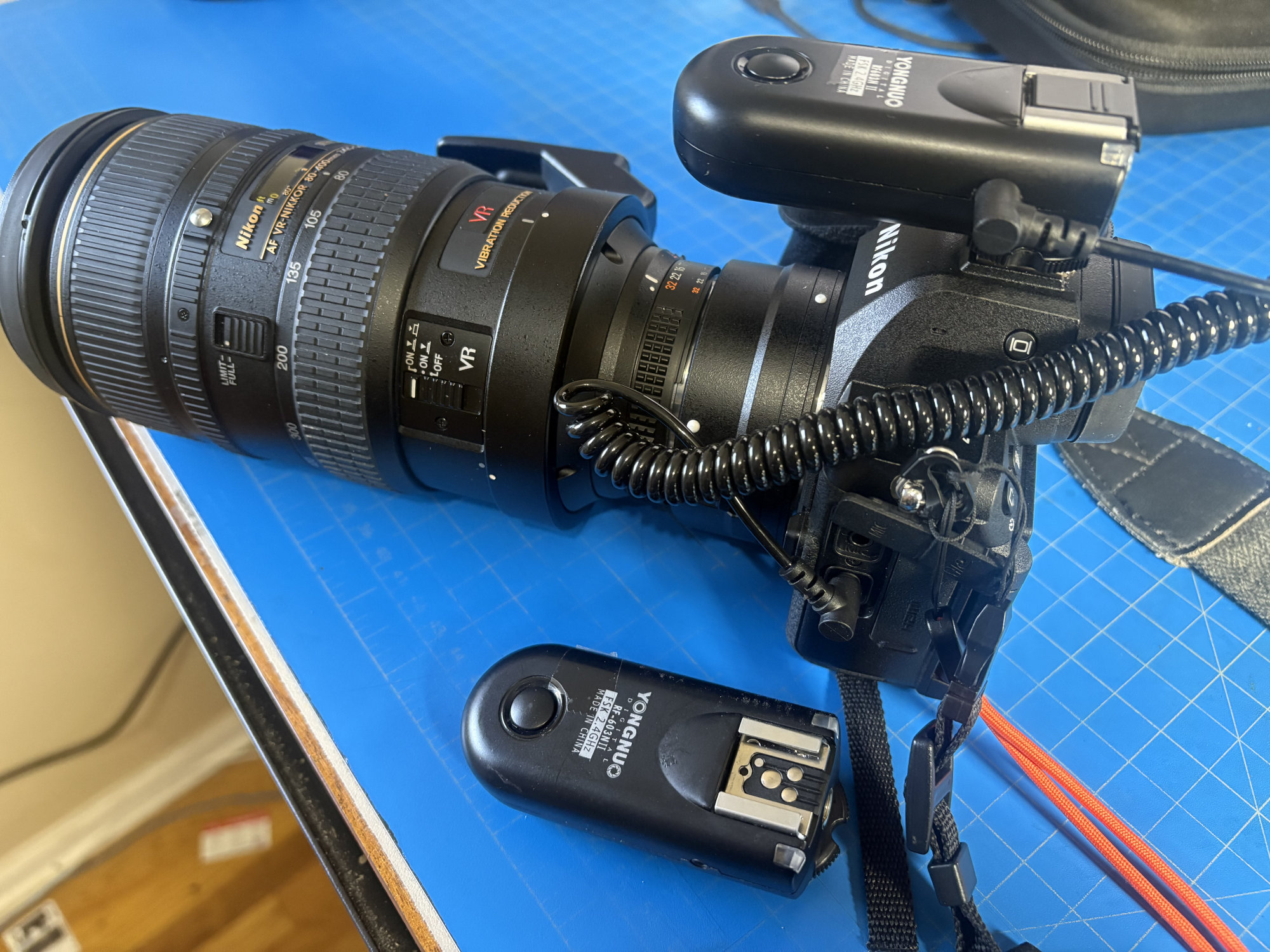
I have a few Yongnuo RF603N II remote flash units. They are old but works. Their primary use is for remote flash over its hotshoe, but they also allows remote shutter release via the same 2.4GHz radio. It comes with a 10-pin Nikon cable that works for older high-end DSLRs (N1 connector, compatible with MC-30A or MC-36A shutter release). But Nikon Z5ii uses a headphone jack for shutter release. Here’s how I make them to work with Z5ii.
What is the Yongnuo RF603N II: The shutter release on the RF603N II is a 2.5mm headphone TRS jack. It turns out to be a dumb one that shorts the tip or ring to the ground upon the shutter release. I find this out by connecting the unit to an oscilloscope:
Circuit:
   Vcc ------------+
   |               |
   |               |
   R1 (10K)        R2 (10K)
   |               |
   +-- (to tip)    +-- (to ring)

   GND ------------+---- (to sleeve)
where the tip, ring, and sleeve are shown in this picture:
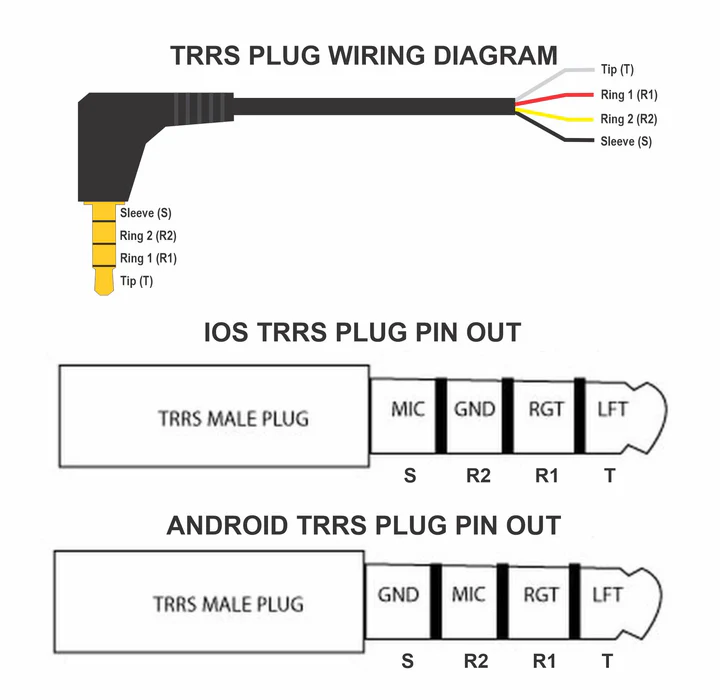
and then the probes of the oscilloscope are connected to the tip and ring. Common ground is used for everything. The connection is like this:
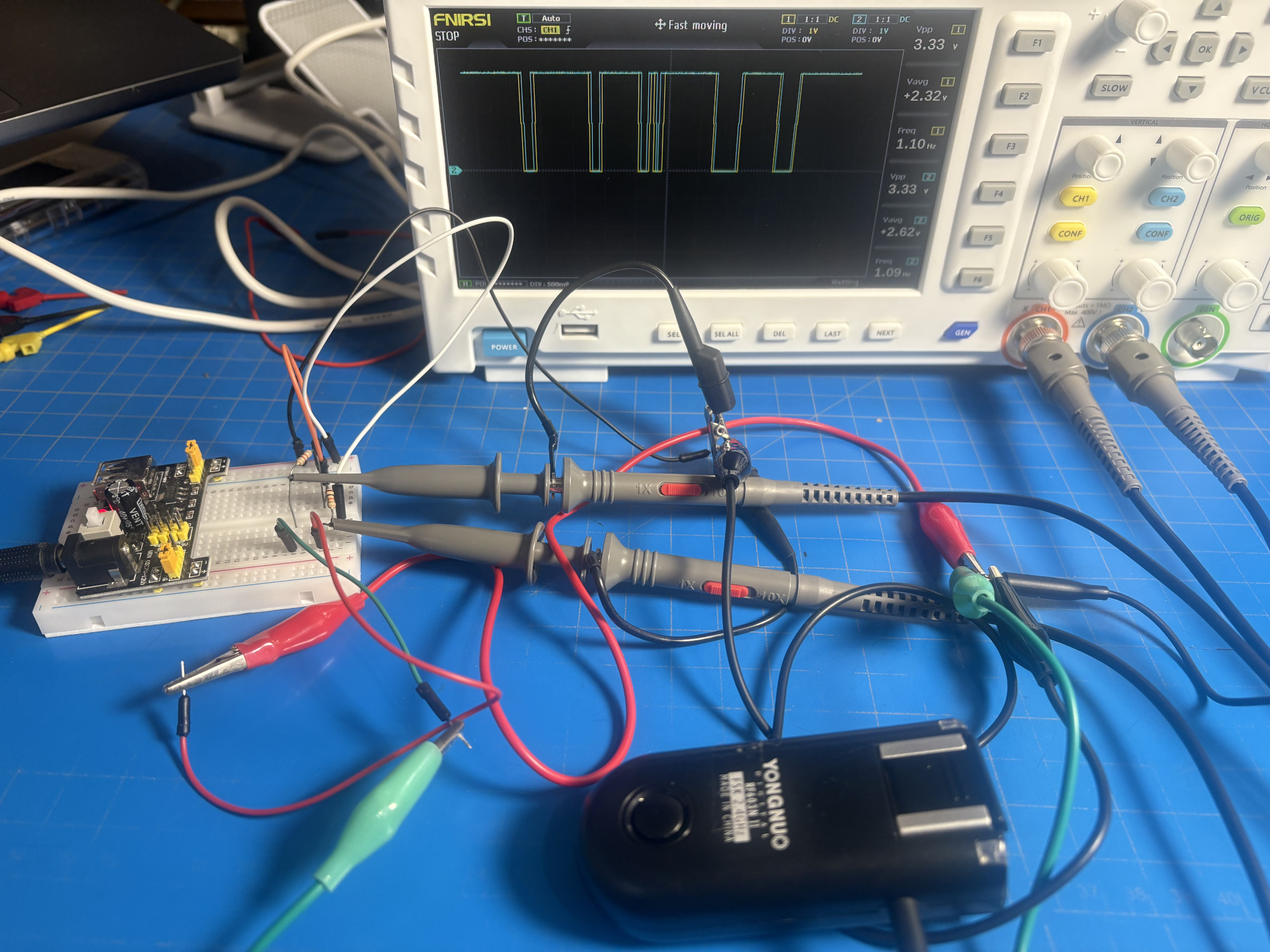
The circuit above are using two pull up resistors to Vcc (3.3V). At idle, the tip, ring, and sleeve are all disconnected. Then the sleeve is always grounded, but the tip and ring are at 3.3V.
Upon pressing the button on RF603N II, the tip (fully pressed) or ring (half-pressed) will be shorted to the ground. The oscilloscope shows a short pulse on the tip and ring. The pulse is like this:
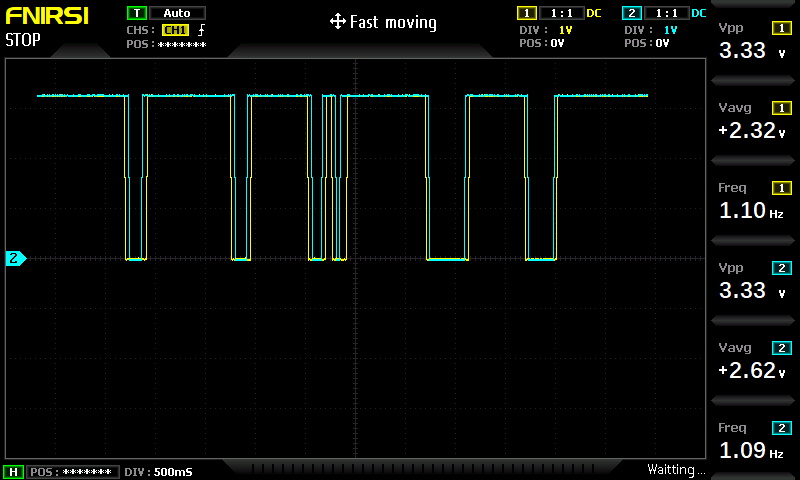
Channel 1 (yellow) is the ring and channel 2 (cyan) is the tip. Since the button is half-pressed before it can be fully pressed, the voltage drop on the ring is sooner than the tip. And both the tip and ring are grounded until the button is released. This chart on the oscilloscope shows I pressed the button multiple times with different durations of hold. Hence the RF603N expects the ring as a signal for focus and tip as a signal for shutter release.
What Nikon Z5ii expects: The Nikon Z5ii uses a headphone jack for shutter release. Nikon’s release cable is MC-DC3. Since Z5ii can also be a video recorder, the headphone jack is doubled as both the headphone and the shutter release. The way Z5ii checks whether that should work as a headphone or a shutter release is to see if you plugged in a TRS or TRRS connector into it: Shutter release is turned off whenever it is TRS, or equivalently, when the TRRS connector with the second ring and sleeve shorted.
It is easy to check this by plugging in a TRRS cable to Z5ii, tap a jumper wire on the second ring, then quickly sweep over the first ring towards the tip. You should hear the shutter open and close. The same cannot be done with a TRS cable.
Fortunately, the 2.5mm headphone jack on RF603N II is compatible with such TRRS connector, namely, the sleeve connector on RF603N II matches the position of the second ring of the TRRS connector, leaving the sleeve position of TRRS open circuit. Therefore, all you need is a 2.5mm male to 3.5mm male TRRS cable. Then you can connect the RF603N II to the Z5ii’s headphone jack and use it as a remote shutter release. The cable is like this:
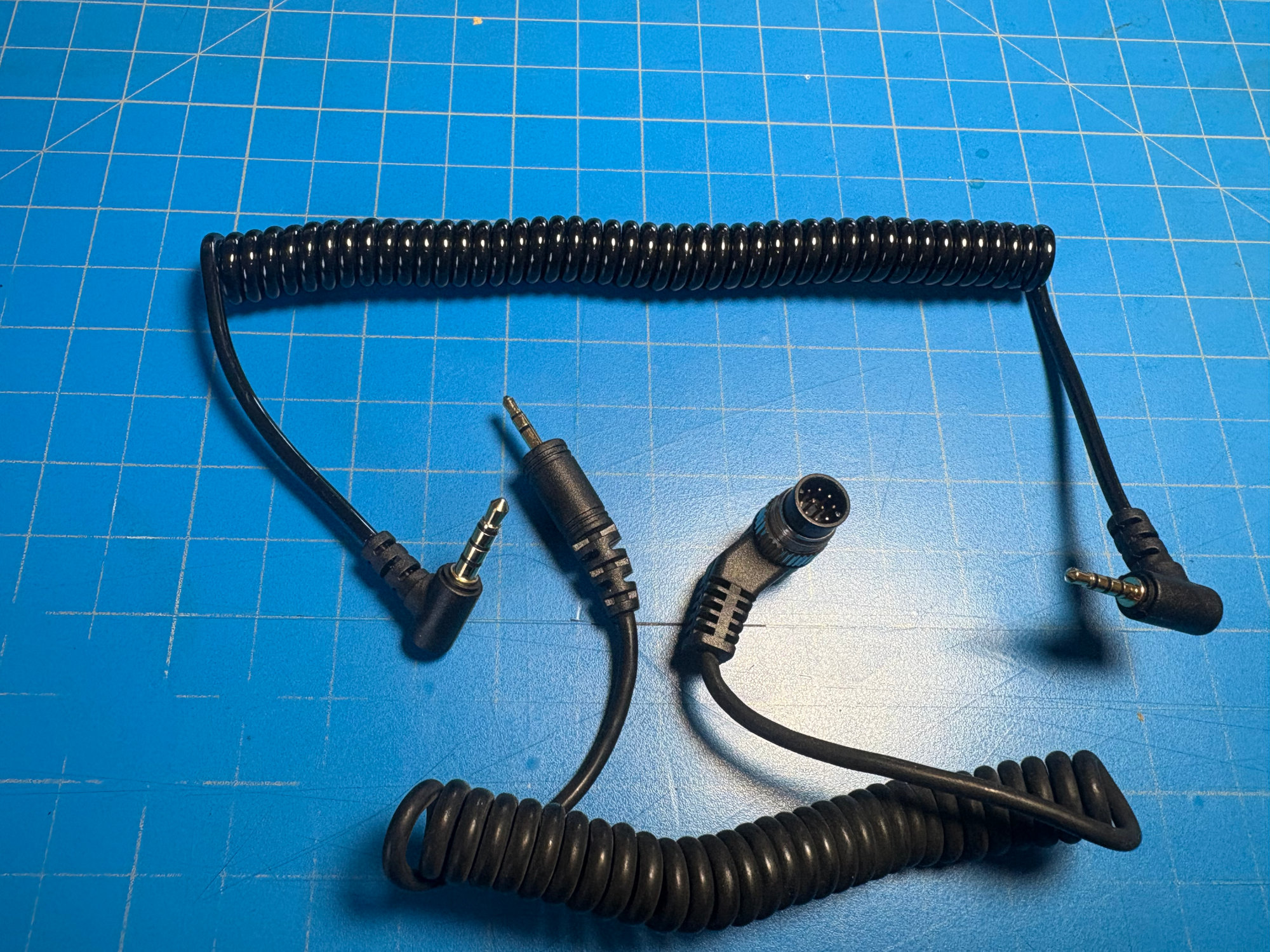
The one at top is brought from Amazon and the one at bottom is the original N1 connector cable came with the RF603N II. This is how it connects RF603N II to Z5ii so that remote shutter release works: